All services › DVD copy
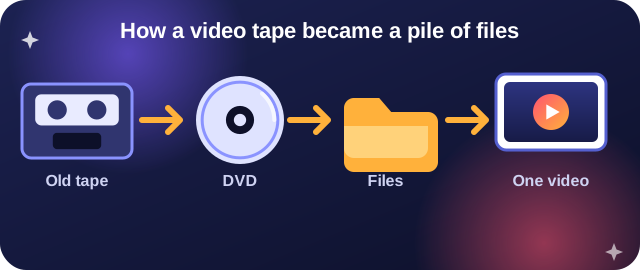
Does this sound like you?
- You had VHS or camcorder tapes put onto DVD years ago.
- You copied the disc to a computer and got a folder called VIDEO_TS.
- Inside are files like VTS_01_1.VOB, VTS_01_2.VOB, .IFO and .BUP.
- It will not play on your phone, will not email, and you wish it were one file.
What you see in the folder
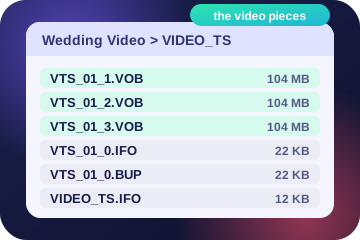
The green ones are your video, cut into pieces of up to 1 GB. The grey ones are the disc index and a backup of it. A DVD player needs them. You do not.
What we do
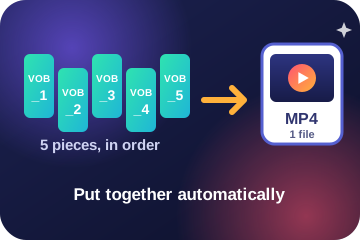
- Find the video pieces and join them in number order into one video.
- Skip the menu and index files.
- Remove the comb lines that old tape video shows on motion.
- Fix the picture shape so people do not look stretched.
- Make the file for your goal: one MP4 for any device, a small one to email, an AVI for an older TV, and more.
How to do it
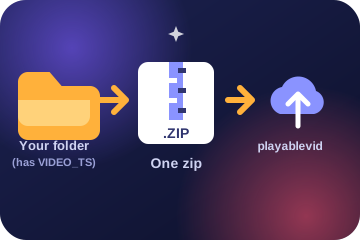
- Zip the folder that holds VIDEO_TS. Windows: right-click, Send to, Compressed (zipped) folder. Mac: right-click, Compress. Chromebook: right-click, Zip selection.
- Upload the zip on the upload page. Up to 2 GB.
- Check the message "DVD copy, joined into one video".
- Pick a goal and watch the free preview.
- Pay $2.99 and download one file. Your files are deleted soon after.
Want every detail on the files? Read What are VOB files?
What is a VIDEO_TS folder?
It is how a DVD stores its contents. The movie sits inside as numbered .VOB pieces, next to small index files. A copy of a DVD made onto a computer or drive keeps that layout.
Can you really put the pieces together for me?
Yes. Zip the folder and upload it. We find the VTS_01_1.VOB, VTS_01_2.VOB pieces, join them in number order, and make one video file.
Does it work with store-bought movie discs?
No. Those are copy-protected. This is for your own home videos and tape transfers.
What if I only have an .ISO file?
Not yet. Today we need the folder with VIDEO_TS in it, zipped. Write to us if you only have an .ISO and we will tell you what to do.
How much does it cost?
The same flat price as any video, shown before you pay. A free preview comes first.
Turn your DVD copy into one video.
Try it free