What are VOB files? How to turn a DVD copy into one video
If you had old VHS or camcorder tapes put onto a DVD years ago, you may have a folder on a computer or drive with names like VIDEO_TS and VTS_01_1.VOB. It will not play on a phone, will not email, and shows up as a pile of pieces. This guide explains what they are and how to get one video file from them.
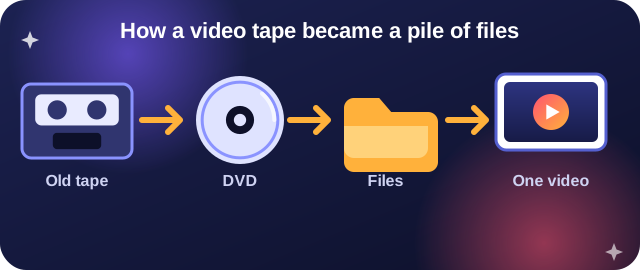
Why you have a pile of pieces
A DVD does not store a movie as a single file. The disc keeps the video in numbered chunks of about 1 GB each, plus small files that tell a DVD player how to show a menu and where each chapter is. When a service copied your tapes to DVD, or when a disc was copied to a computer, you got that same pile.
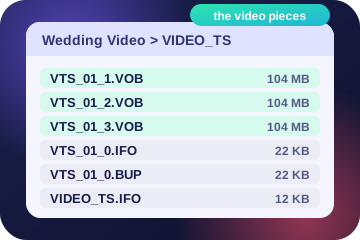
What each file is
| File | What it is | Do we use it? |
|---|---|---|
| VTS_01_1.VOB, VTS_01_2.VOB, VTS_01_3.VOB ... | Your video, in numbered pieces of up to 1 GB. They are meant to be played in number order. | Yes. We join them in order. |
| VIDEO_TS.VOB and VTS_01_0.VOB | The disc menu. | No. They are skipped. |
| .IFO files | The disc index: chapters and where things are. | No. |
| .BUP files | A backup copy of the .IFO files. | No. |
| VR_MOVIE.VRO (in a VIDEO_RM folder) | Made by DVD recorders and some camcorders. It holds your whole video in one file, and we use it the same way. | Yes. |
| AUDIO_TS folder | Extra folders some copy programs add. Often empty. | No. |
The number after VTS is the title. A disc can hold more than one. If yours has several, we pick the longest.
What we do with them
You do not need to sort anything. We find the VOB pieces, put them together in the right order, and make one video file.

Old tape video is "interlaced", which shows thin comb lines on motion. We remove those, and fix the picture shape so people do not look stretched. Then we make the file you asked for: one MP4 that plays on a phone, a laptop and a TV, or a small one to email.
How to do it, step by step
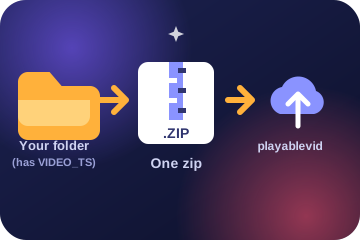
- Find the folder. It is the one that holds VIDEO_TS. Start at the folder that contains it so all the pieces come along.
- Make it a zip. Windows: right-click the folder, Send to, Compressed (zipped) folder. Mac: right-click the folder, Compress. Chromebook: in Files, right-click, Zip selection.
- Upload the zip. Go to the upload page and drop in the zip. Up to 2 GB.
- Look for "DVD copy, joined into one video". That tells you we found the pieces and put them together.
- Say what it is for. Pick a goal, such as play on any phone or computer.
- Watch the free preview. Then pay and download one file.
Good to know
- This is for your own home videos and tape transfers. Store-bought movie discs are copy-protected, and we cannot and do not convert them.
- A single .ISO disc image file is not supported yet. A folder with VIDEO_TS in a zip is.
- Menus and chapter buttons are not kept. You get the movie itself.
- Your files are deleted soon after, like any other order.
Questions
I have several VTS numbers. Which one is used?
The one with the most video in it, which is nearly always the main movie.
Is the sound kept?
Yes, and it stays in step with the picture.
My VOB files are not in a VIDEO_TS folder. Will that work?
Yes. We look for the numbered VTS pieces anywhere in the zip.
Turn your DVD copy into one video.
Try it free